Twelve screens, one filter bar
Upload the day’s file and every one of them is live. Each figure obeys the same filter, so a question asked once is answered everywhere at the same time.
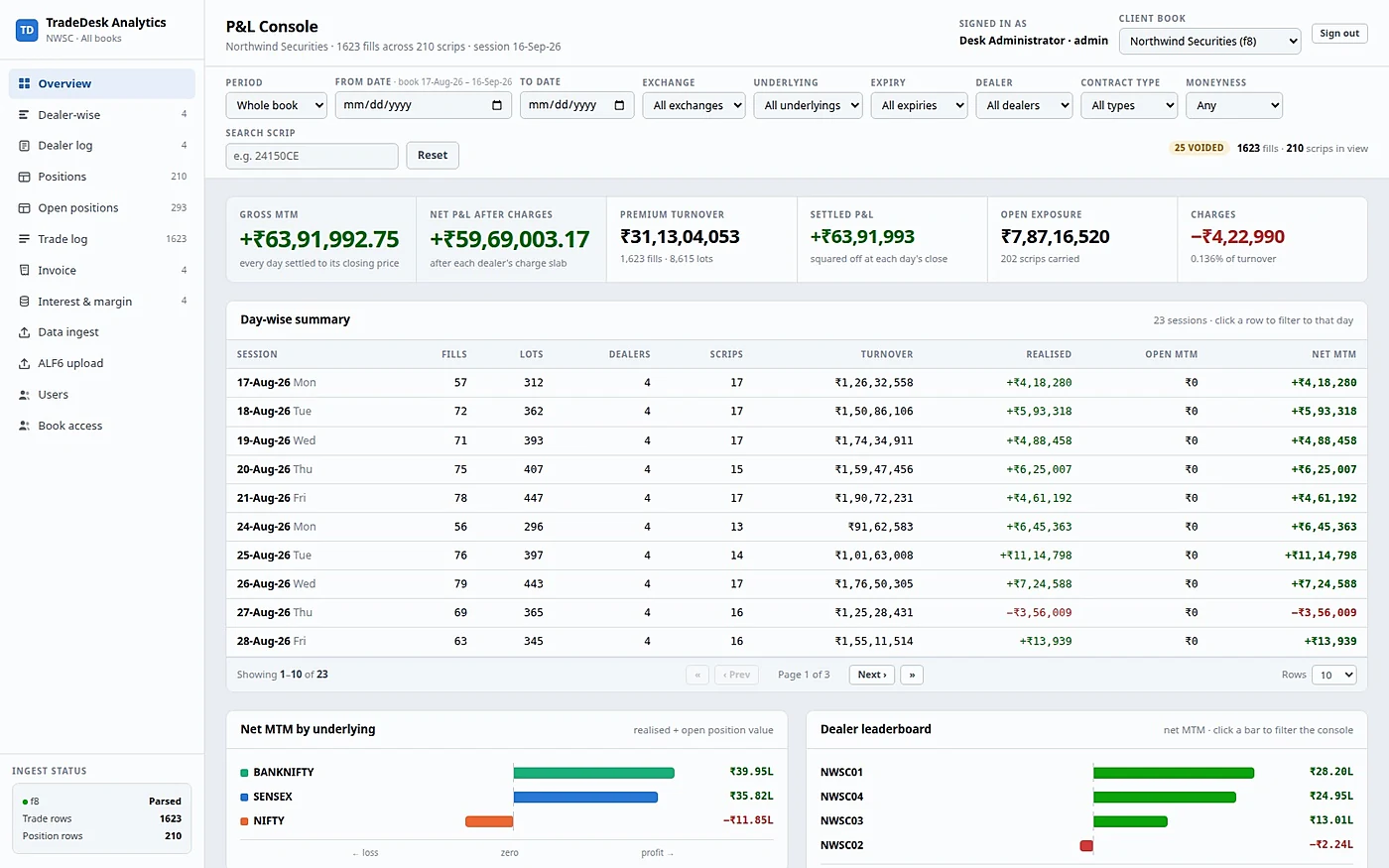
The console you land on
A KPI strip across the top — gross mark-to-market, realised, open, turnover, charges — then a day-wise summary, an underlying-wise summary, and an intraday profile showing when in the session the money was actually made.
Every figure obeys the filter bar, so “NIFTY calls, this expiry, this dealer, last fortnight” is four clicks and the whole console re-answers.
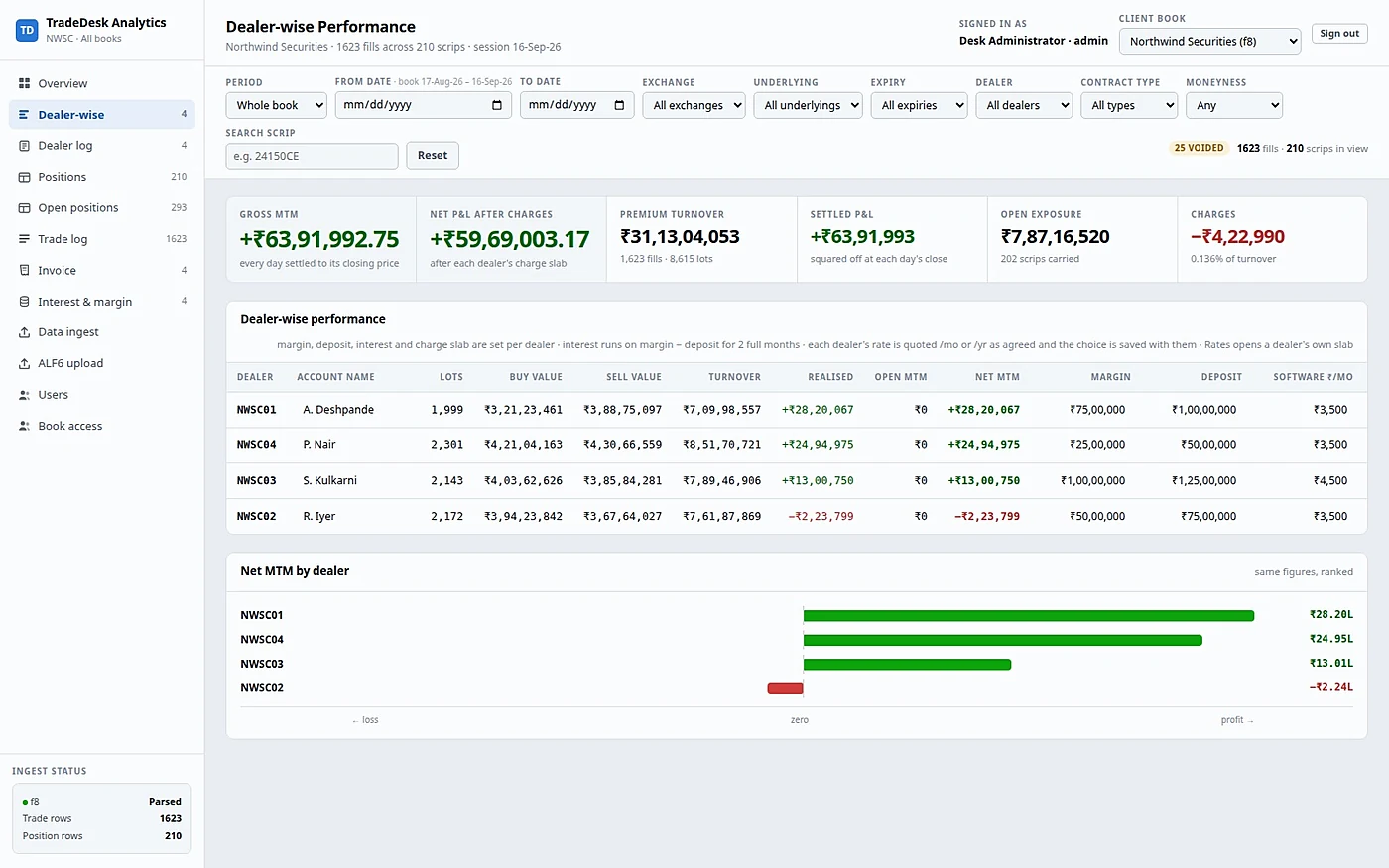
Who is earning, and what they cost
One row per dealer: realised, open, mark-to-market, turnover and charges, alongside that dealer’s own funding terms, charge slab and rate card.
The screen that answers who is making money and what they are costing the desk, on one page, without exporting anything.
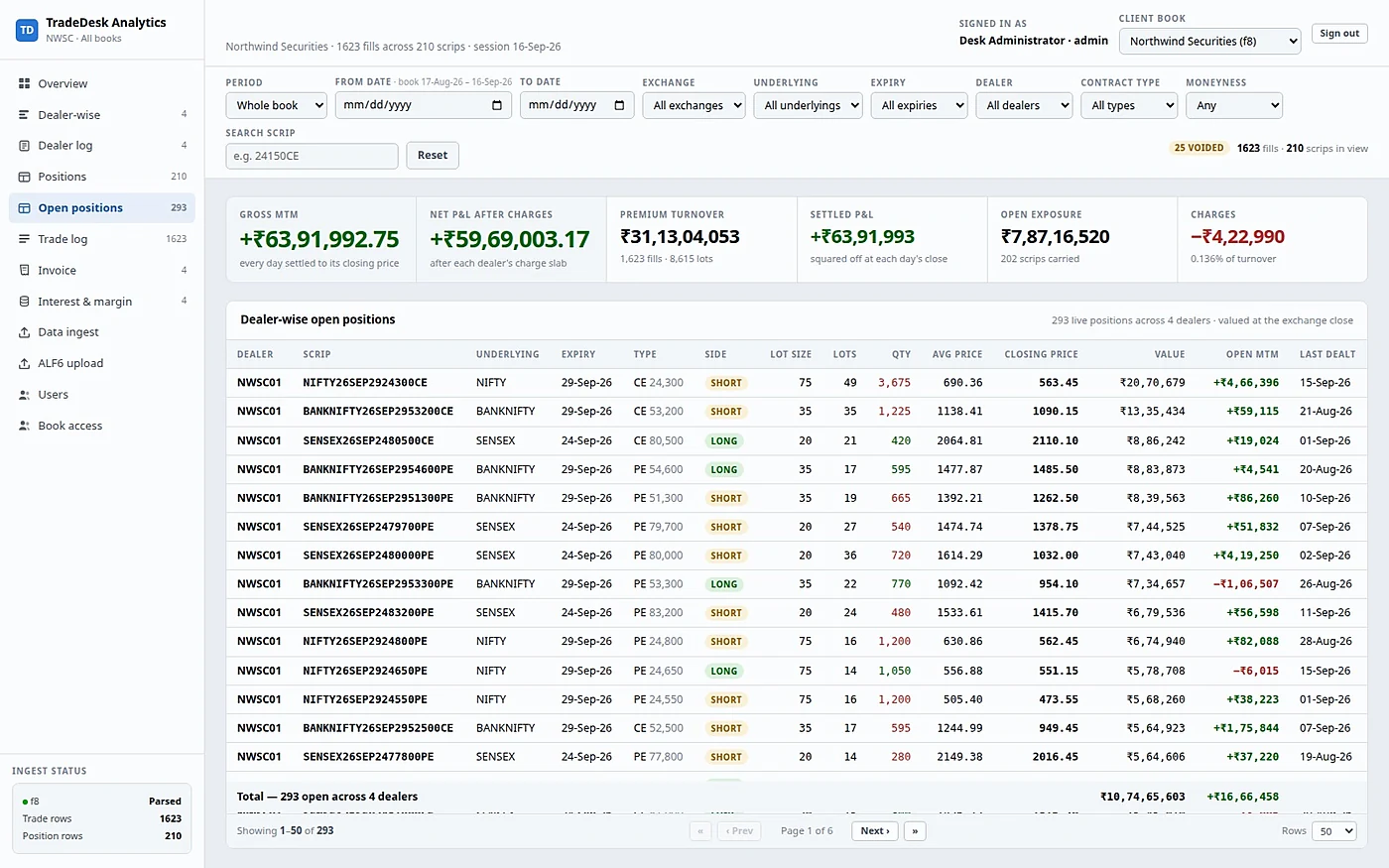
What the desk is still carrying
Per dealer and per scrip: lot size, net lots, side, entry price, the current mark, value, open P&L, last traded, and whether the contract has expired. One toggle switches between live positions and settled ones.
Deliberately a different list from Net Positions. A contract one dealer is long and another is short nets to nothing there and appears twice here, correctly, because it is two real exposures with two different owners.
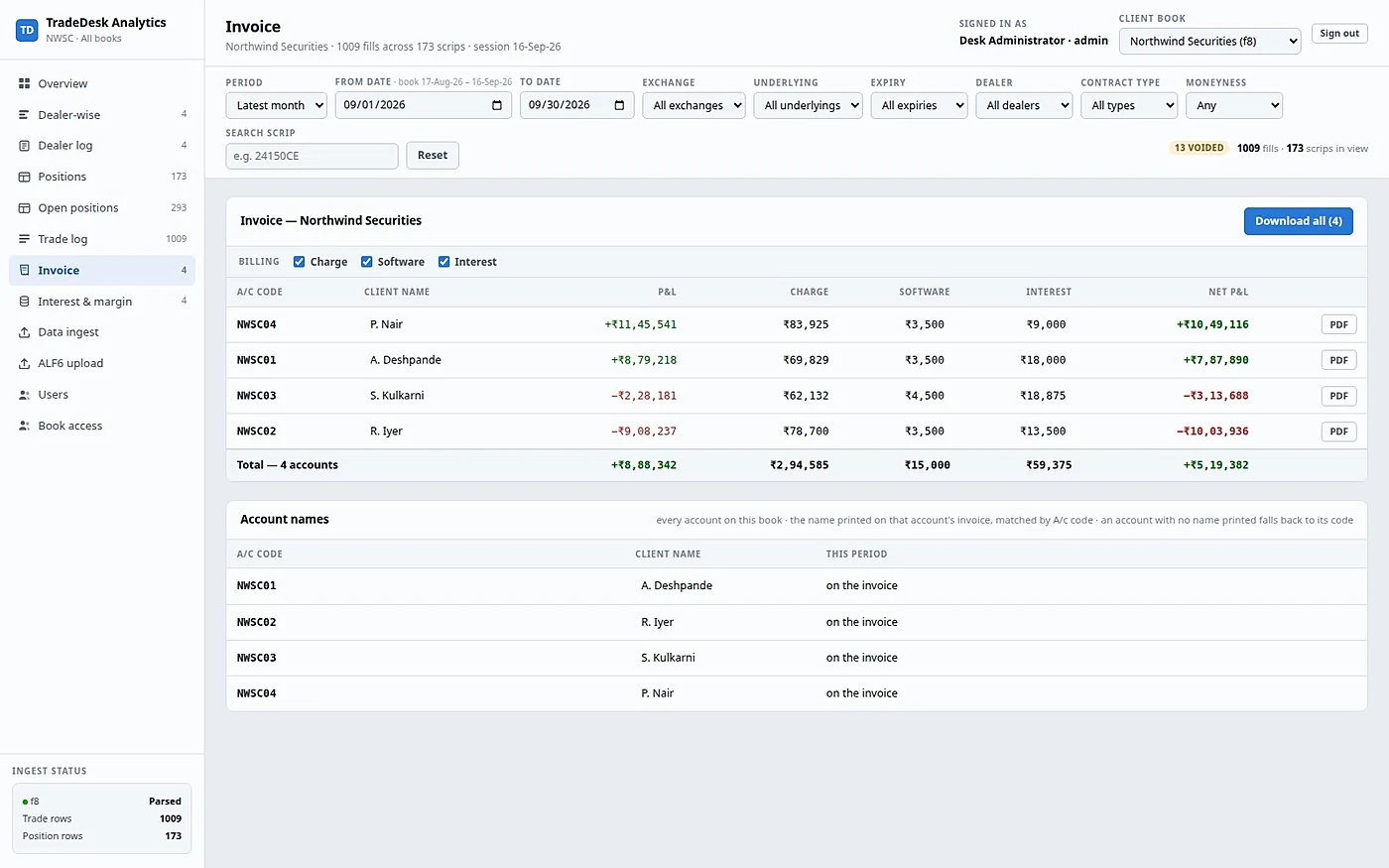
The month’s bill, with its workings
The monthly bill on screen, with charge, software and interest each switchable on or off, so you can see what the client is being billed and what they are not. One click renders it to a PDF, with the rupee glyph, ready to send.
The software fee is billed as months × the monthly terminal fee, so a total typed into the column is divided back to a monthly rate and rounded to paise. The printed lines always add up to the printed total.
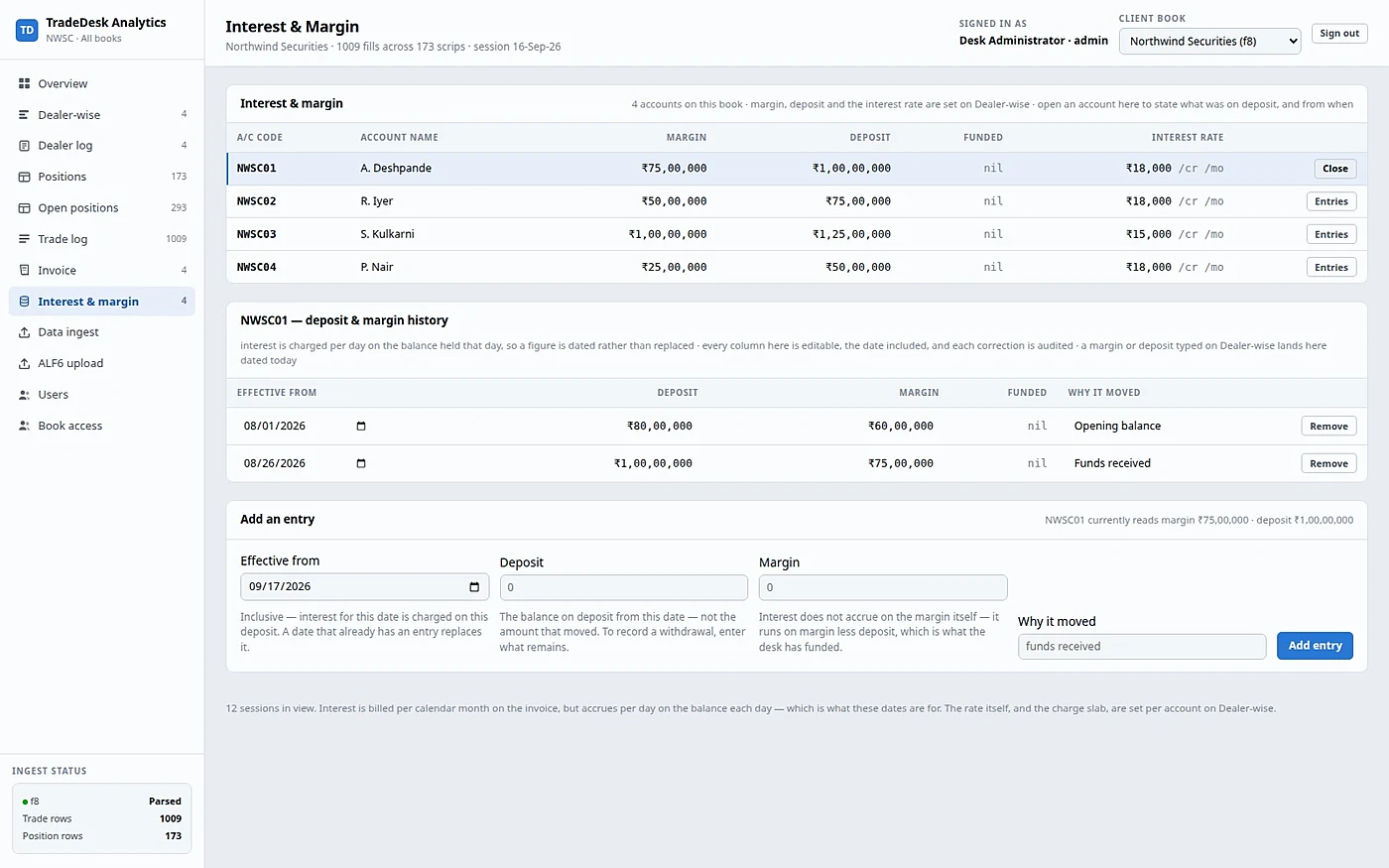
Interest on a dated ledger
Not a single number. Each entry says how much was on deposit from which day, interest accrues day-wise, and the window is broken into segments at every deposit change and every month boundary.
Because a monthly rate’s daily equivalent depends on how long that month is. February and March at the same deposit accrue different amounts per day, and the ledger knows it. Each segment is rounded to paise on its own, so the invoice equals the sum of its own printed lines.
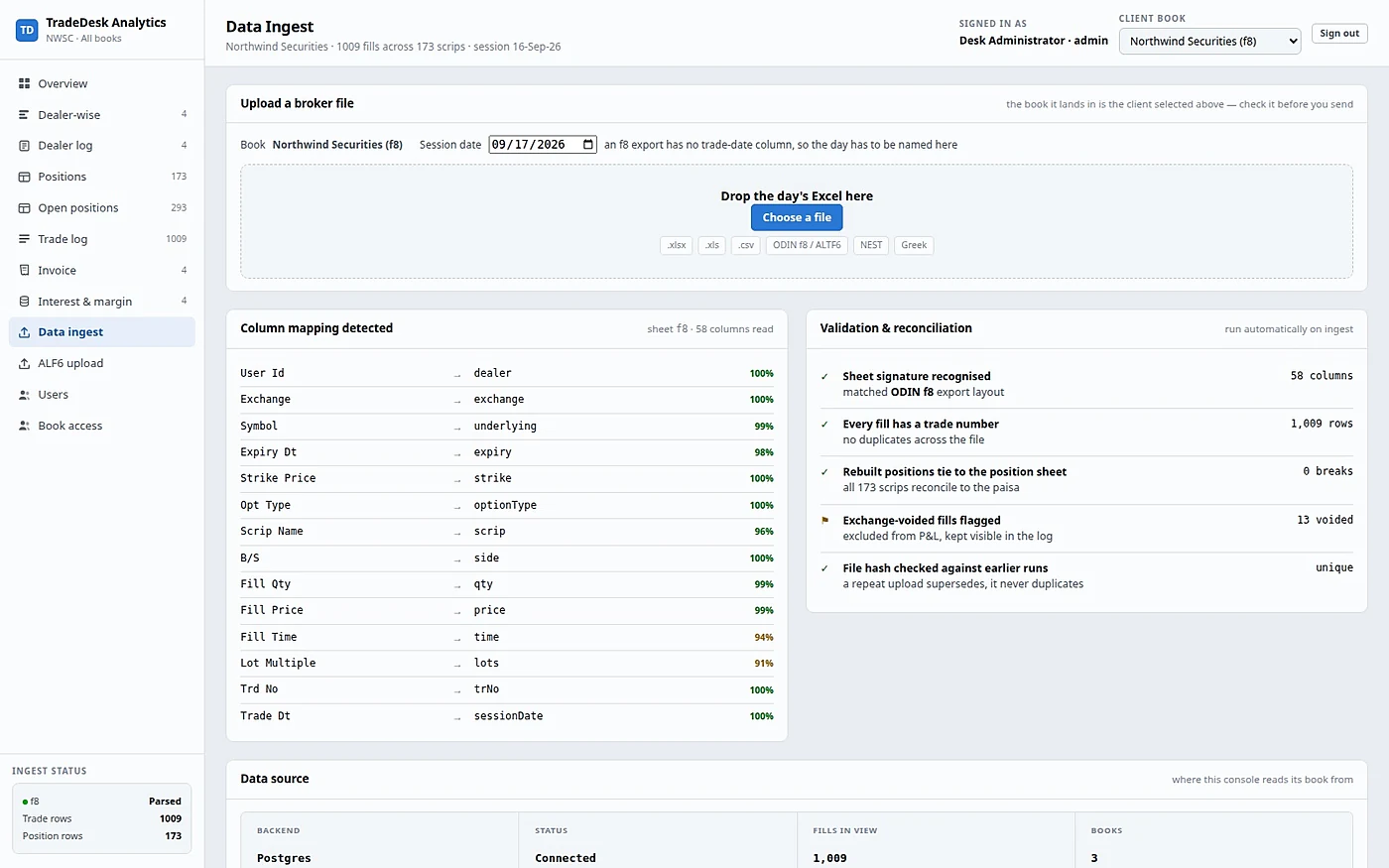
The whole daily routine
Drop the day’s trade export in, name the session date, done. The screen lists every past run, lets you download the original file back, and delete one.
The sheet is picked rather than demanded, a re-upload supersedes instead of duplicating, and the archived file is byte-for-byte the file you uploaded.
The screens that do not photograph well
An audit view, two position lists that answer different questions, the fill-level log, and the two admin screens that decide who reaches which book.
Dealer Log
One row per dealer, expandable into its individual sessions. Read-only by design — it is the audit view, not a place to edit history.
Net Positions
Every scrip the book touched in the window: quantity, average buy, average sell, realised, open, mark-to-market, the close it was valued at and the date of that mark.
Trade Log
The fill-level table, paged on the server so a year of history opens as fast as a day. Voided fills are kept and shown, and never reach a P&L figure.
Position File Archive
The terminal’s position export archived alongside the trades, for reference and audit. It is archived, not priced from — and that is a deliberate decision.
Users & Access Admin
Logins, sign-up requests, password-reset requests, and the client books themselves. Create a login, assign it a book, approve a request, reset a password.
Book Access Admin
Which login may reach which book, at view or edit level, chosen per book. Tick the books, pick the level, save.
One filter drives every figure on the console
Every clause combines with AND, and the available values are read from your actual data — so the dropdowns never offer a combination that does not exist.
- Period
- Any date window — strict from and to on the session date
- Exchange
- NSE / BSE
- Underlying
- Every underlying in the book
- Expiry
- Every expiry in the book
- Dealer
- Every dealer in the book
- Option type
- CE / PE / FUT
- Moneyness
- ITM / ATM / OTM
- Search
- Free-text scrip search
Want to see them against your own book?
Send us one session’s export and we will show you the book it produces.